
AI coach
An AI coach that knows your training
Not a chatbot glued onto a calendar. A few precise jobs, done with your zones, your activities and your own words: write a session from a sentence, ask how the run went, read what happened. On your own AI key, or on ours with Supporter.
- Your key, your model
- Off until you consent
- Keys encrypted
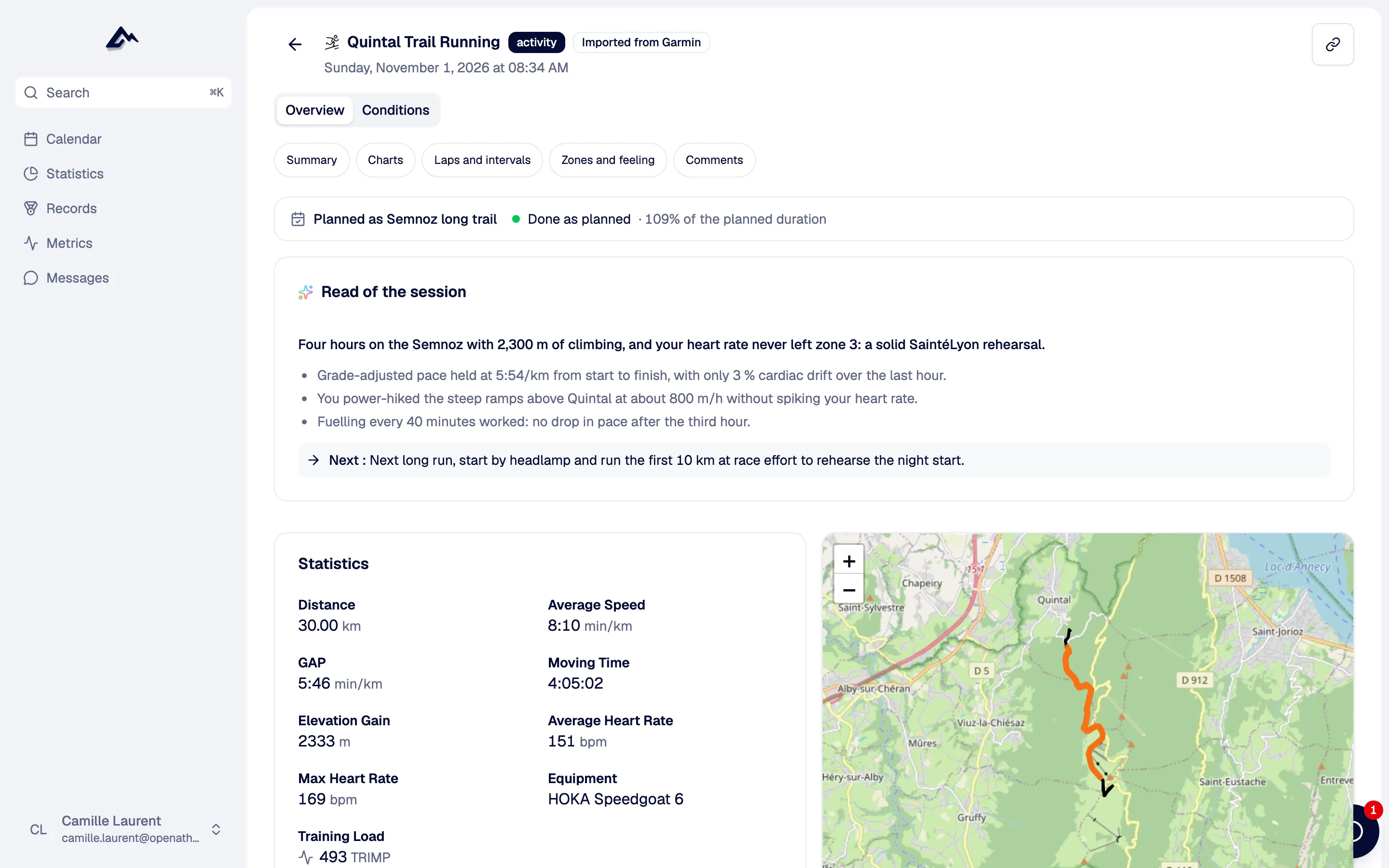
Read of the session
Threshold held for four reps, the fifth faded
- 014 of 5 reps on target (4:05–4:12 /km). Rep 5 at 4:17.
- 0224 °C and a headwind on the way back cost about 6 s/km.
- 03You wrote "legs heavy from Sunday": your fatigue is the highest in five weeks.
Keep Thursday's run truly easy.
How did your legs feel on the last rep?
Noted by the AI · RPE 8 · left calf, pain 3/10
What it does
Grounded in your data, not generic plans
Each AI feature has one job and the data it needs for it. Nothing runs before you allow it.
A session from a sentence
"10' easy, 6 × 3' at 95% VMA with 2' jog." You get a structured workout with steps, repeats and targets from your zones and latest metrics. Edit it like any other, then it goes to your watch.
Rework a session
"Make it 20 minutes shorter", "swap the hills for flat tempo". The session is rewritten; you check it before saving.
Questions after each activity
Three or four short questions about feeling, fatigue, sleep, pain or why you left the plan, adapted to your load and past injuries. Answer by text, a tap or your voice. Effort (RPE) and pain are pulled out and land in an injury log your coach sees.
A read of each session
A headline, up to three findings with figures (plan vs done, what the heat cost, drift, last weeks), one suggestion. On the activity page, where you look anyway.
Load of planned sessions
For sessions written in pace or power, an estimate of the load calibrated on your past sessions, so the form projection covers them too.
Bring your own key
Choose the model, control the cost
Paste an API key from the provider you already use. Pick a default model, then a different one per feature if you like: a cheap fast model for the questions, a stronger one to write sessions. You pay the provider directly, and a meter shows tokens and calls per month, per feature.
- OpenAI
- Anthropic
- Mistral
- OpenRouter
- DeepSeek
- xAI
- Groq
- OVHcloud
- Scaleway
- Together AI
- Fireworks
- and many more
Self-hosted instances can also point at an OpenAI-compatible endpoint: Ollama, vLLM, a model on your own machine.
AI models
AES-256-GCM- Default modelMistral
- A session from a sentenceAnthropic
- Rework a sessionAnthropic
- Questions after each activitydefault
- A read of each sessionOpenAI
- Load of planned sessionsdefault
This month
Who pays for the AI
Your key first, then the Supporter allowance
When an AI feature runs, OpenAthlete looks for something to pay for it, in this order. If it finds nothing, the AI stays off and the rest of the app works exactly the same.
Your own key
Any plan, Free included. The model you chose for that feature.
Supporter allowance
€5 a month or €50 a year: AI on OpenAthlete's keys, up to a monthly allowance. Past it, add your own key.
Supporter plan →Your coach
For the questions and reads after your activities, your coach's key or Supporter allowance can cover you, with both your consents.
Nothing
AI off. Calendar, builder, sync, analysis and coaching all work.
On a self-hosted instance, the admin decides who may use the instance's keys: everyone, nobody, or Supporters if billing is set up.
For coaches
Coaches stay in control
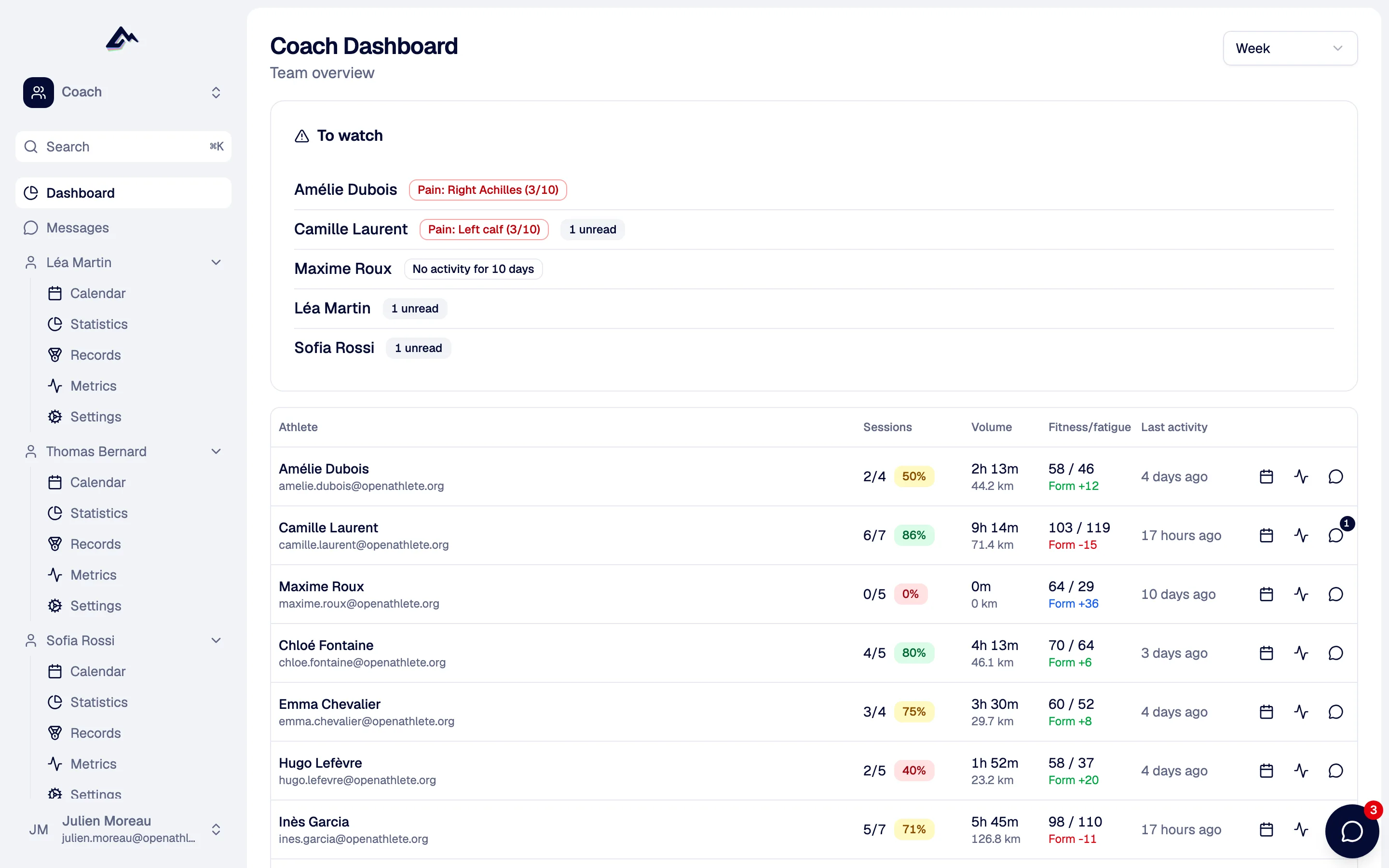
The AI drafts, you decide. Generated sessions are drafts you edit before they reach the athlete. You can switch off the post-activity questions for any athlete. Pain reported in answers shows up in your dashboard's "to watch" list.
- One Supporter coach can power the background AI of all their athletes
- Athletes can turn the questions off too
Conversation
Want to talk it through? Use Claude or ChatGPT
There is no chat window inside OpenAthlete. Conversations, and planning a whole block, happen in the assistant you already use, connected to your training through our MCP server. It reads your calendar and load, and can plan up to 60 sessions at once.
Claude · OpenAthlete connector
Privacy
What the model sees
Consent first
No AI runs on your data until you allow it in your settings, after an explanation of what goes where. You can withdraw it at any time.
Only what the task needs
Your zones, recent metrics, the activity and your answers go to the provider of the model that runs the task. Your password, email and payment details do not.
Keys locked away
API keys are encrypted with AES-256-GCM and never shown again after you save them. Delete one and it is gone.
What the AI doesn't do (yet)
- No chat inside the app. Conversation goes through Claude, ChatGPT or another assistant over MCP.
- No one-click full training plan in the app. Plan blocks with an assistant over MCP, or with your coach.
- No weekly AI report, no fatigue or injury-risk prediction.
- Voice answers are turned into text. Tone and mood are not analysed.
- It is not a doctor. Pain in the injury log is a flag for you and your coach, not a diagnosis.
Questions people ask
Not OpenAthlete. With your own key, on any plan, you pay your AI provider for what you use. Supporter (€5 a month) includes a monthly allowance on our keys instead. Without either, the AI features stay off and everything else works.
OpenAI, Anthropic, Google, Mistral, OpenRouter, DeepSeek, xAI, Groq, OVHcloud, Scaleway, Together AI, Fireworks and many more from the models.dev catalogue. You pick the model per feature.
On a self-hosted instance, yes: point it at any OpenAI-compatible endpoint, such as Ollama or vLLM. On OpenAthlete Cloud, custom endpoints are turned off.
No. The chat bubble in the app is for messages between athletes and coaches. To talk with an AI about your training, connect Claude, ChatGPT or another assistant to the MCP server.
It is a monthly budget per person, measured at the provider's prices. The usage meter in your settings shows where you are. When it runs out, add your own key or wait for next month.
Yes. Withdraw AI consent and nothing runs on your data. You can also turn off only the post-activity questions, and so can your coach.
The rest of the weekly loop
All featuresTry it on your next run
Create an account, add your key or become a Supporter, and the questions show up after your next synced activity.
Free forever. No credit card.