
Training calendar
A training calendar built for endurance sports
Races, training blocks, planned sessions and what you actually did, on one calendar. Drag a session to Thursday, copy last week, log two days of flu: the plan follows.
- Month, week and season views
- Live with your coach
- Free, on our servers or yours
Mon10
Tue11
Wed12
Thu13
Fri14
Sat15
Sun16
Week
5 × 4' threshold
Easy run
Hill repeats
Long run
Town 10K
Done
3:32/ 5:47 planned
Load
241/ 410 TRIMP
Form on Sunday
+6
- Within 20% of plan
- 50–79% or 121–150%
- Further off
- Missed
Season view
Plan from season to session
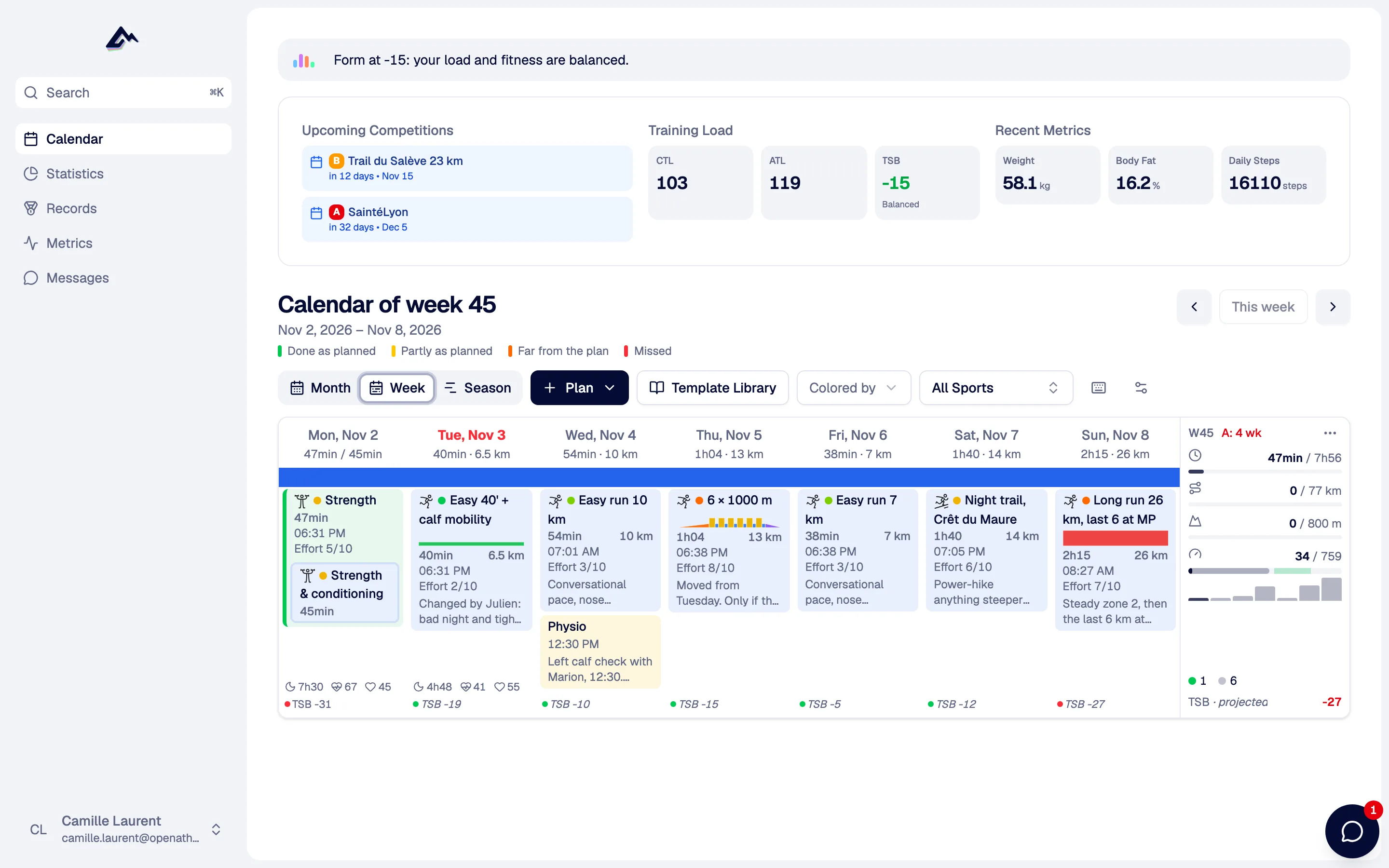
Press S and the calendar folds into a season: 6 or 12 months, one row per week. Drag across weeks to draw a block, give it a phase, drop your races on it with an A, B or C priority. Each week shows the duration and load done and planned, with the form you are heading for.
- Phases: base, specific, taper, recovery, competition
- Weekly load against a recommended range
- Form projected over the sessions still to do
Bars: weekly load (TRIMP), every fourth week lighter
Planned vs done
Planned vs completed, matched automatically
When your run arrives from the watch, it lands on the session planned that day. If you swapped days, drag the activity onto the right session, or pick one of up to three suggestions. A coloured strip then tells you how close you were to the plan, on duration or distance.
- Wellness on each day: sleep, HRV, resting HR, Hooper index
- Week totals: duration, distance, elevation, load
- Optional rule: a session only counts with an RPE or a comment
Week tools
Copy, move and repeat weeks
The boring part of planning, done in a few clicks. Every bulk action can be undone.
Copy, cut, paste a week
Last week worked. Paste it into the next one and change the long run.
Shift by a day or a week
A work trip on Monday: push the rest of the week back by one day.
Undo
Ctrl or Cmd + Z, or the button in the toast. The whole week comes back.
Repeating sessions
Every 1 to 4 weeks, up to 90 days ahead. Edit this one or this one and the following.
Templates by drag and drop
Open the library on the side, drop a saved workout on any day.
Drop a file on a day
A FIT, GPX or TCX from an old watch goes straight onto the right date.
Search with Cmd + K
Jump to an activity, an athlete or a page from anywhere.
Your display
Compact or comfortable, and you choose what each card shows. It follows your account to every device.
Life happens
Illness, injury and travel periods
Drag across the days you will not train and pick Illness, Injury or Travel. The period is drawn hatched on the calendar. If it covers sessions still to do, OpenAthlete asks what to do with them: move them after the period, or delete them.
From Claude or ChatGPT, "I've had a fever since yesterday" does the same through the MCP server, then adapts the next sessions. MCP server
Flu · Thu 13 to Fri 14
2 sessions are planned during this period.
- Hill repeats0:55
- Easy run0:40
Coached
Shared with your coach in real time
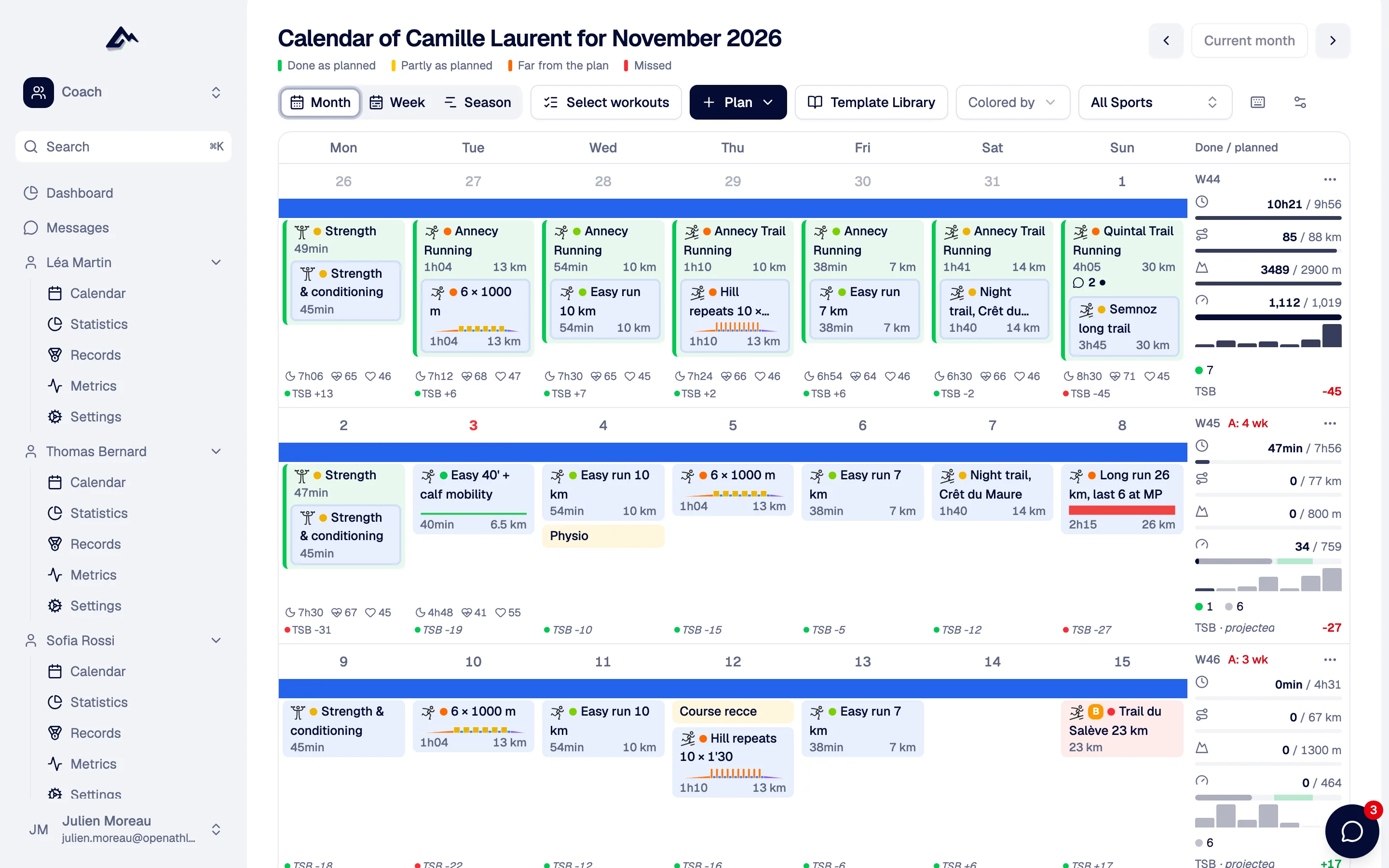
Your coach plans on the same calendar you train from. Changes show up live on both screens, without a refresh. Each session and activity has its own comment thread, and unread comments are flagged on the calendar.
- Several coaches per athlete if you need them
- Coaches select sessions and move, copy or delete them in bulk
Calendar feed
Your sessions in Google, Apple or Outlook Calendar
Subscribe to a private iCal link and your planned sessions, races and notes appear in the calendar you already use for work, as all-day events with the full workout in the description. The link is secret; generate a new one and the old one stops working.
- Tue5 × 4' threshold15' warm-up · 5 × (4' at 4:05/km, 2' jog) · 10' cool-down
- SatLong run1h20 easy, last 15' at marathon pace
- SunTown 10K · B raceGoal: 40:30
Questions people ask
Running, trail, road and gravel cycling, mountain biking, swimming, triathlon and duathlon, rowing, Nordic skiing, strength and about fifty other sport types. A week can mix them, and the totals are kept per sport.
Yes, when it happens on the same day as a planned session. If you trained on another day, drag the activity onto the session or choose among up to three suggestions. You can unlink it too.
Yes. A coach you have accepted plans, moves and comments on your calendar, and you see the changes live. You can have more than one coach.
Yes, through the iCal feed in your settings. It is one-way: Google, Apple or Outlook Calendar show your sessions, races and notes; edits are made in OpenAthlete.
Nothing. Every feature is free on OpenAthlete Cloud and on a self-hosted instance. The €5 Supporter plan only adds AI on our keys and unlimited coached athletes.
Yes. On a phone the week view stacks the days and opens on a Today screen. You can install the web app on your home screen today; the iOS and Android apps are in testing.
The rest of the weekly loop
All featuresPut next week on the calendar
Connect your watch, drag in a few sessions, and see how Sunday's form looks before you get there.
Free forever. No credit card.